Keep your PCOS lab history in one clear timeline
Updated
One result is easier to understand when you can find the date, unit and laboratory range beside it. PMOSly is designed for manual entry of results and a chronological view you can refer to during a clinical conversation.
PMOSly is currently in pre-launch. The workflows below describe the app being prepared for release; join the waitlist to hear when it is available.
Record the result as the laboratory reported it
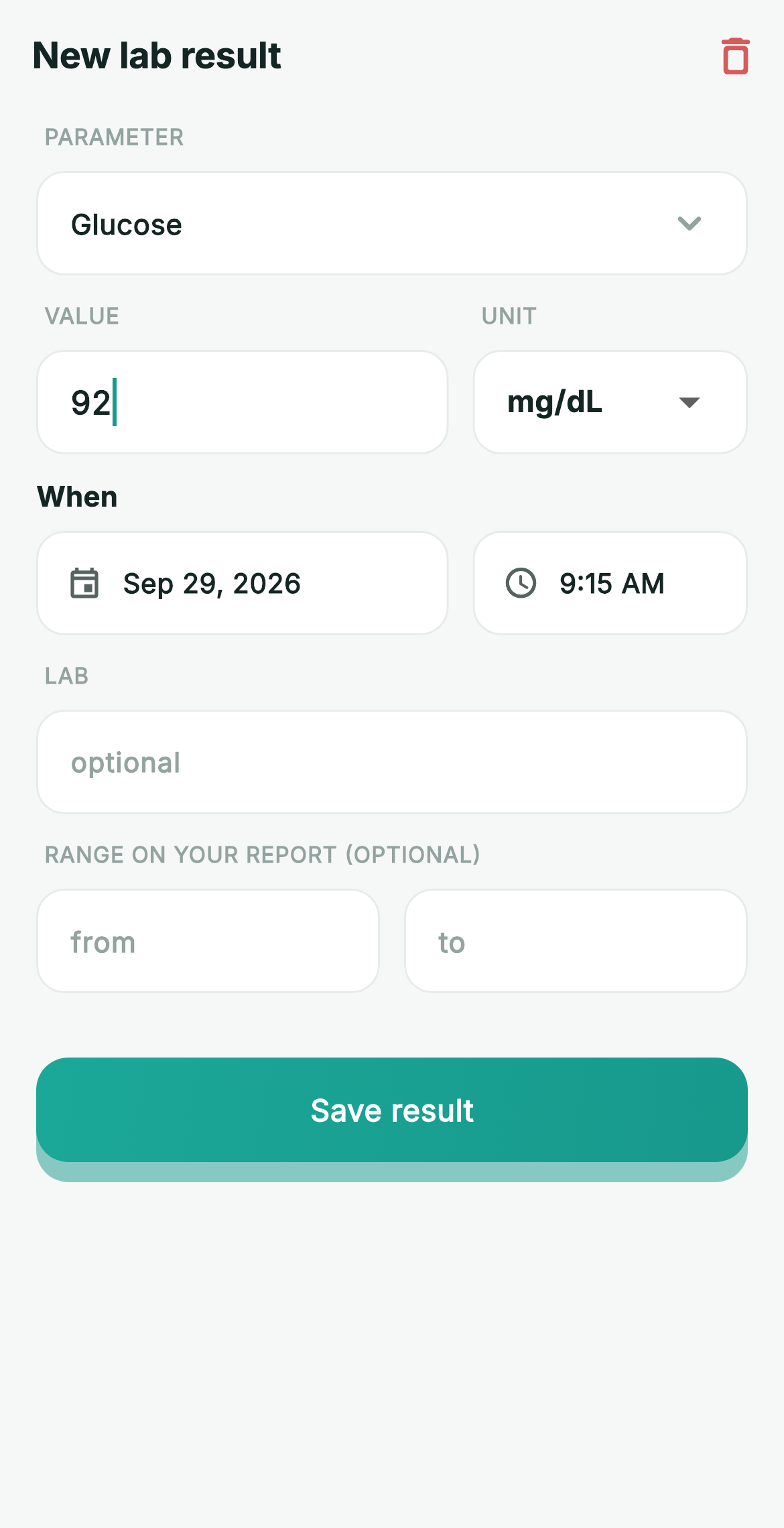
- Select the laboratory parameter.
- Enter the numeric result and choose its unit.
- Add the collection date.
- Optionally copy the lower and upper reference limits printed on that report.
Reference ranges can differ by laboratory, method and individual context. PMOSly keeps the range with the result rather than substituting a universal target.
Review values without losing their context
The Labs view keeps entries by date. Trend cards use the values you entered, and the doctor-report preview includes the latest recorded values with their dates and units. Derived markers appear only when the required inputs are available; they remain arithmetic summaries, not interpretations.
Manual entry, with no scan or lab connection
PMOSly does not scan a report, use OCR or import from a laboratory portal. Entering the result yourself makes the source visible and lets you check the unit before saving. If a value or unit looks wrong, compare it with the original report or ask the laboratory.
A record for discussion, not an interpretation
PMOSly does not decide whether a result confirms PCOS, assess risk, or tell you to change medication or supplements. A qualified clinician interprets results alongside symptoms, history, examination and the laboratory method.
Related articles
Be first to try PMOSly.
Join the waitlist and take charge of your PMOS — privately, from day one.